Automate document processing into Filemaker
Automate exporting data from your documents into Filemaker by integrating the Affinda Platform with your Filemaker account. Achieve straight-through processing by eliminating manual data entry for good.

Get data from your documents into Filemaker

Invoices
Automatically extract supplier details, invoice numbers, dates, totals and line items from invoices into your FileMaker databases to build custom tracking apps and eliminate manual data entry.
Contracts and agreements
Extract parties, dates, contract values and renewal terms from contracts and agreements to populate your FileMaker contract databases automatically - improving visibility and making renewals easier to manage.
HR forms and resumes
Pull employee names, positions and start dates from onboarding forms and resumes to create FileMaker employee records automatically - streamlining HR workflows and improving compliance.
Project documents and plans
Extract project names, client details and key dates from project plans and deliverables to update FileMaker project trackers automatically - improving oversight and enabling better collaboration.
How to automate document processing into Filemaker
Affinda processes your documents in the background and sends data straight into Filemaker.Automatically send your documents to Affinda
Upload, email or integrate your documents as soon as you receive themAI agents extract and validate key data fields
Affinda's AI agents extract and transform your data with superior accuracy, thanks to advanced contextual understanding and machine validation.See your data appear in Filemaker
Affinda sends your data straight into Filemaker, automatically populating all the extracted data fields.Extract any information from any document, fast
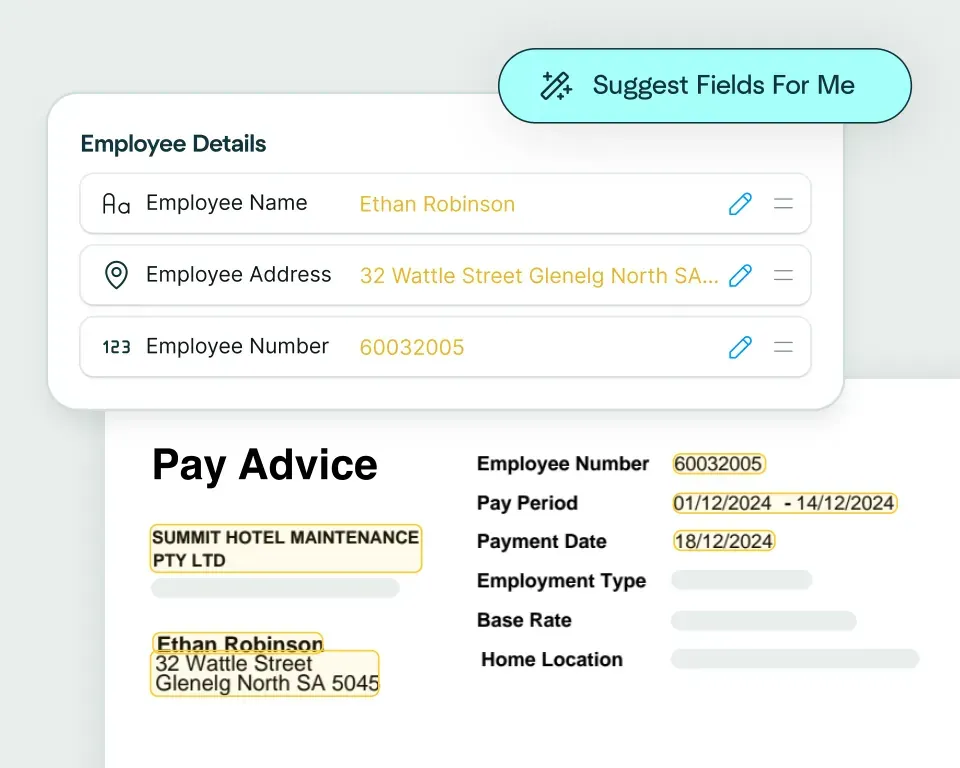
Create models in seconds
Upload a claims document and the Affinda Platform will predict the fields you need – like claimant details, policy number, incident date, totals and line items – so you can automate claims document processing in just a few clicks.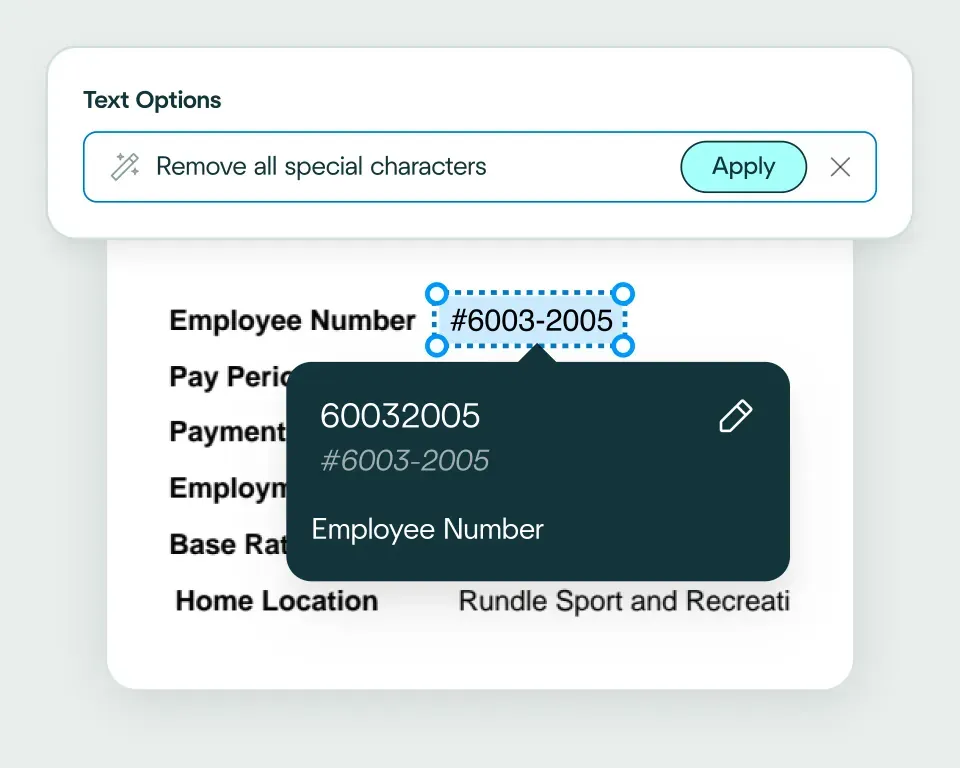
Validate and transform data
The platform checks extracted claims data against your business rules and transforms it into a format your claims management system expects. That way, it’s ready for workflows like coverage checks, reserving, routing and settlement.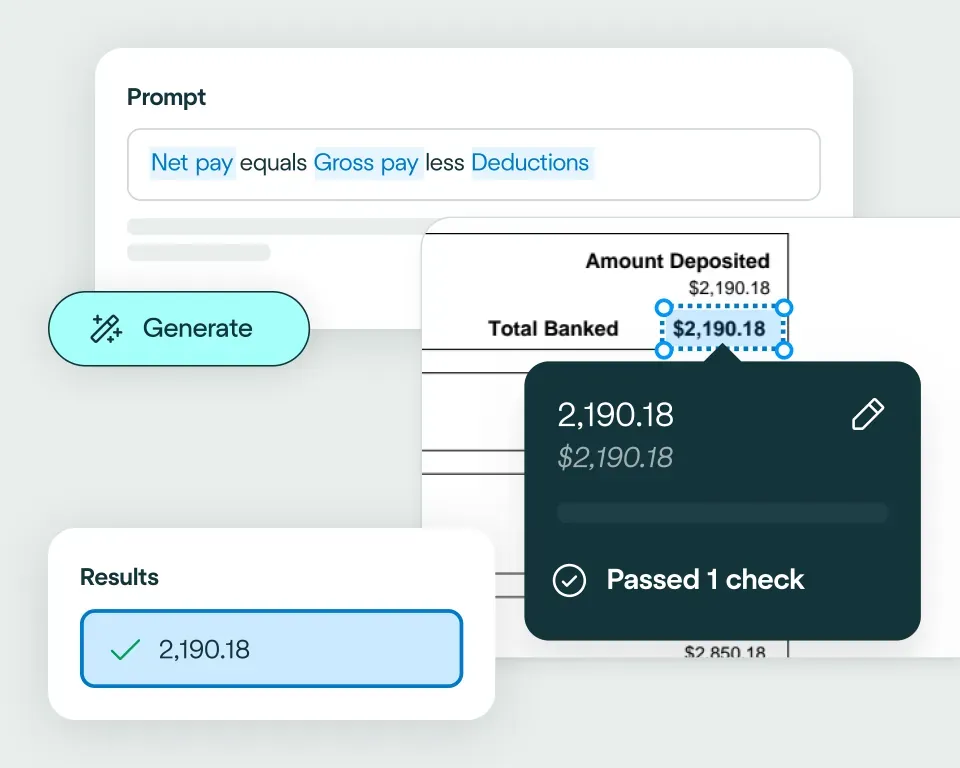
Apply your business logic
Use natural language to write validation rules that match your claims workflows, for example: flag missing fields; check policy numbers match correct formats; validate that document dates are within ranges; check financial consistency, such as line items summing correctly to totals.Pathway 1: Use the Agent
Create integrations fast, even if you’re not a developer. Choose from 2800+ business systems and describe how you want your claims document processing workflow to connect, using natural language. The Agent will generate the code to make it happen.Pathway 2: Write your own code
Easily connect Affinda Platform to your claims stack using our client libraries and APIs. Automatically generate type-safe Pydantic models or TypeScript interfaces tailored to your claims documents, so extracted fields map cleanly into your workflows.
No need to talk to sales. Get started now
Sign up for free
Sign up and configure your custom extraction model.Set up your integration
The Agent works like your own developer - describe how you want data exported, and it builds the integration for you.Start processing
Send your files to Affinda and watch as the data automatically populates into your downstream system.Automating their document processes with AI
Combine the best of artificial and human intelligence

Frequently asked questions
Does Affinda integrate with Filemaker?
Yes. Affinda's integration with FileMaker connects your document processing directly to your custom database workflows. It automatically extracts, validates and syncs data from invoices, contracts, HR forms and project documents straight into your FileMaker databases.With Affinda, you can build and populate custom apps faster, eliminate manual data entry and maintain complete control over your business data through a single, automated workflow.
How does the Affinda-Filemaker integration work?
Affinda processes documents from any source - email, direct upload or API - and extracts structured data like supplier details, contract terms, employee information and project metadata using AI agents trained to understand context.
Once extracted and validated, this data automatically populates your FileMaker databases as new records or updates to existing ones. Whether it's invoices for custom tracking apps, contracts for renewal management or resumes for HR workflows, the data arrives ready to use.
You can configure custom validation rules and field mapping to match your FileMaker structure, ensuring extracted data meets your specific requirements before it enters your databases.
What types of documents can Affinda process and send to Filemaker?
Affinda processes any document type and sends structured data straight to FileMaker, including:
- Invoices, receipts and purchase orders
- Contracts, agreements and renewal documents
- HR forms, resumes and onboarding paperwork
- Project plans, deliverables and tracking documents
- Inventory lists and operational records
It handles both digital files and scanned documents with 99%+ accuracy, using advanced OCR and AI-powered extraction to understand context and structure across any format or layout.
Do I need to manually upload files to Filemaker?
No. Affinda automates document ingestion through multiple methods. You can choose what works best for your workflow:
- Upload documents directly to your Affinda workspace
- Email documents manually or configure automatic forwarding rules
- Integrate via API or connect cloud storage for seamless document flow
Once Affinda receives your documents, extraction and validation happen automatically. The structured data then flows directly into your FileMaker databases - no manual uploads required.
Can I define my own validation and business rules?
Yes. Affinda lets you set custom validation rules and business logic before any data enters your FileMaker databases.
For example, you can configure rules to:
- Prevent duplicate invoice or contract entries
- Verify required fields are complete for HR records
- Check contract renewal dates fall within expected ranges
- Ensure data formats match your FileMaker database structure
These checks keep your FileMaker data accurate, consistent and ready to support reliable custom workflows.
Can Affinda handle bulk contract uploads for FileMaker?
Yes. Affinda handles bulk document processing with ease. Whether you're uploading a dozen contracts or hundreds at once, the platform extracts and validates data automatically before sending it straight to your FileMaker databases.
This makes it particularly valuable for professional services firms, legal teams and SMBs managing contract renewals or onboarding large volumes of agreements - eliminating manual processing bottlenecks while maintaining accuracy across every document.
How fast can I get started with the Filemaker integration?
You can start processing documents into FileMaker in minutes. Affinda's flexible integration lets you:
- Connect via API or use our no-code setup options
- Map extracted fields to your custom FileMaker database structure
- Begin automating document workflows immediately
Need deeper customization? Affinda supports advanced field mapping, custom validation rules and API access for organizations building sophisticated FileMaker solutions.
Is my financial data secure when using Affinda with Filemaker?
Absolutely. Affinda follows security standards including ISO 27001:2022, SOC 2 and GDPR for security and compliance. Data is encrypted in transit and at rest, with strict role-based access controls and full audit logging. You can also select region-specific data storage to meet your organization's compliance and data residency requirements.
What are the main benefits of integrating Affinda with Filemaker?
By integrating Affinda with FileMaker, you can:
- Eliminate manual data entry across invoices, contracts, HR forms and project documents
- Build and populate custom apps faster with automated data flows
- Improve data accuracy and compliance with intelligent validation
- Gain complete visibility over document processing and data quality
- Enable seamless workflows that adapt to your business needs